
One phone, two sides: using Pam as a member and as a program
If you run a program and you also use Pam for yourself, you can keep one account for both. You switch between the two sides whenever you want.
Switch sides
Tap Profile.
Tap “Use Pam as”.
Tap “Me” or “My program”. The side you are using has a tick.
Pam opens that side. For “Me” it opens Explore. For “My program” it opens Home.
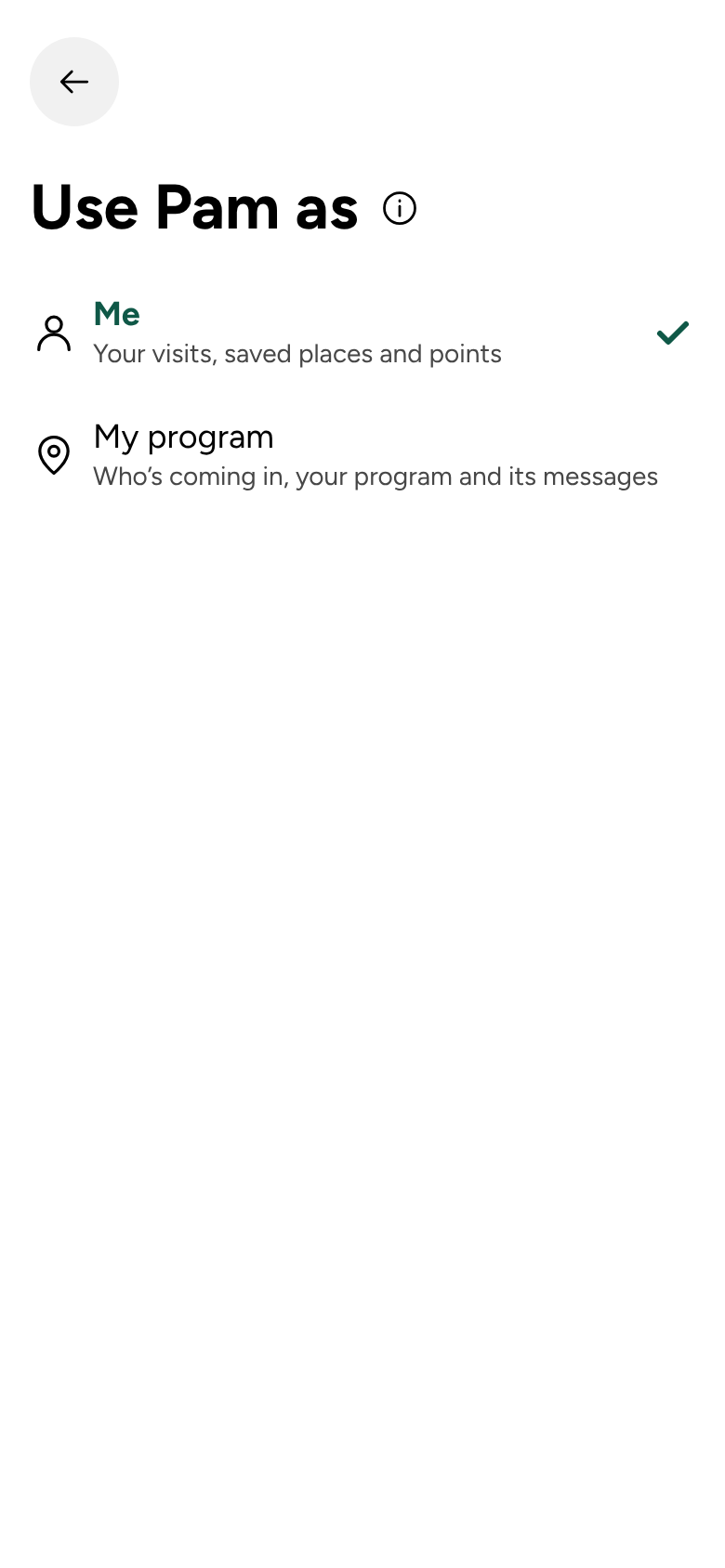
You only see “Use Pam as” if your account has both sides.
| Side | What you see |
|---|---|
| Me | Your visits, saved places and points. |
| My program | Who is coming in, your program and its messages. |
Me
Your visits, saved places and points.
My program
Who is coming in, your program and its messages.
What stays separate
People at your own program do not see your visits, saved places or activity as a member. You can’t book your own program as a member. While you are on one side, the other side’s information is out of reach until you switch back.
Notifications for both sides show in the same bell.
Add your program to an account you already have
Ask to be invited to your program, using the phone number you already use for Pam. The invite is made for that number.
Open the link and sign in with the code Pam texts you.
Pam shows “Add your program to your account”. It says you can keep one account for both.
Tap “Add my program”. Tap “Not now” if you would rather wait.
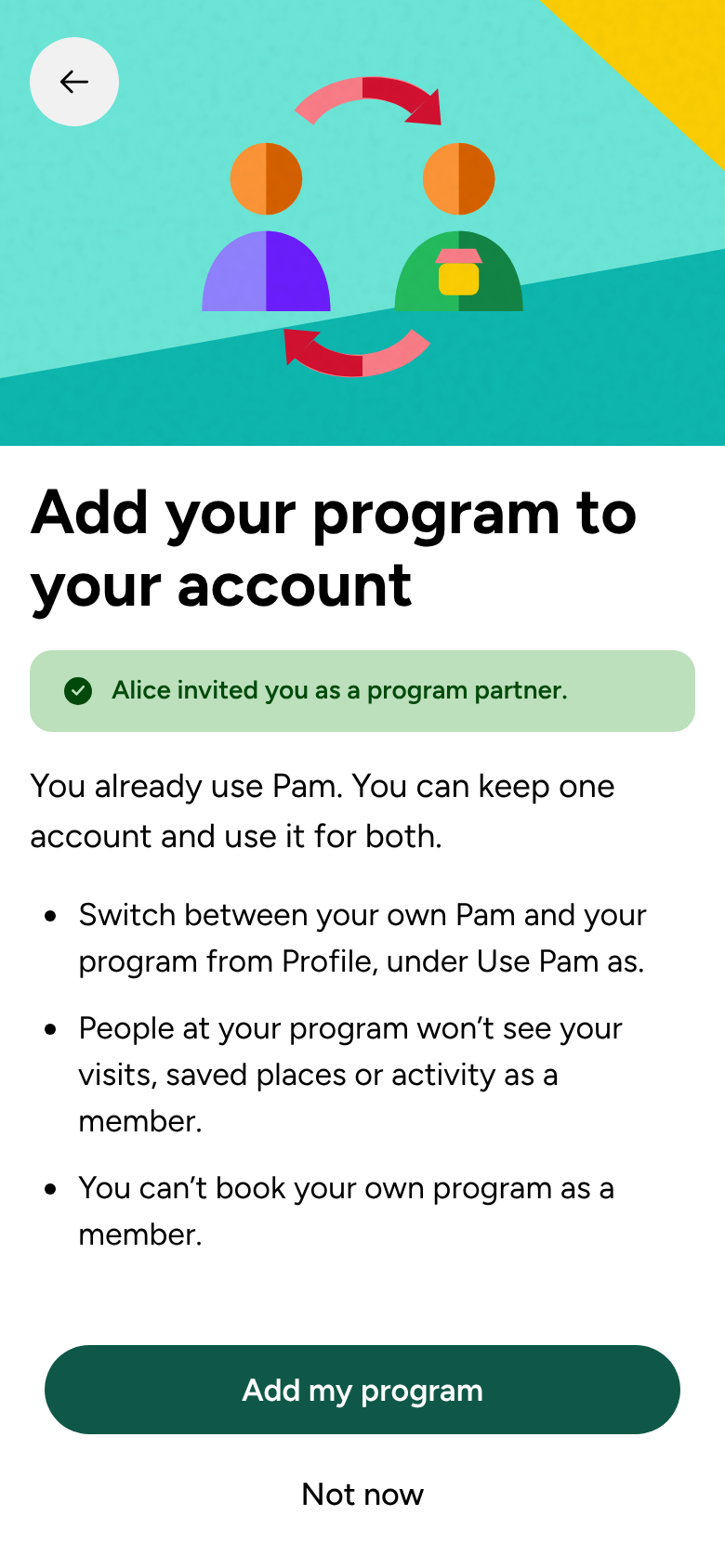
Your program has to be in the same city as your account.
Still stuck?
Write to us at hello@joinpam.org. Tell us what happened and what you see on the screen. A person at Pam reads every message.