
Points and badges, today
Points show what you have done in Pam. They are not money and they cannot be cashed out. You will not lose points for missing a visit.
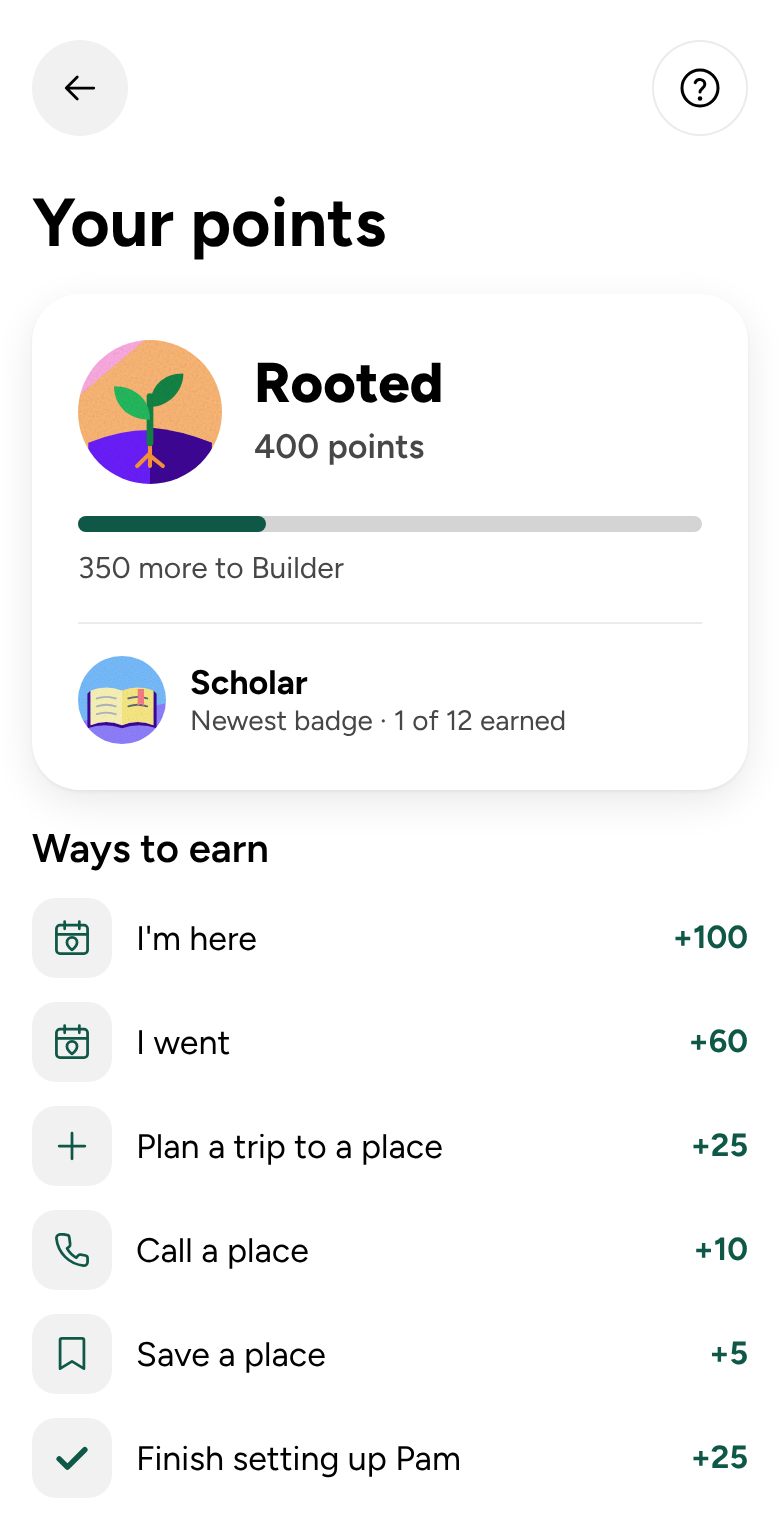
How you earn points today
| What you do | Points |
|---|---|
| Plan a trip to a place | 25 points, once for each place. Up to three new places a day. |
| Tap I’m here at a visit | 100 points, once for each visit. Tap it at the place, from 2 hours before your visit until 3 hours after it ends. The program can also mark you there. |
| Tap I went after a visit | 60 points, once for each visit, in the same hours, up to 3 times in 7 days. If the program marks you there too, you get the other 40. |
| Call a place | 10 points, the first time you tap Call on that place. Up to five new places a day. |
| Save a place | 5 points, once for each place. |
| Finish setting up | 25 points, once. |
Plan a trip to a place
25 points, once for each place. Up to three new places a day.
Tap I’m here at a visit
100 points, once for each visit. Tap it at the place, from 2 hours before your visit until 3 hours after it ends. The program can also mark you there.
Tap I went after a visit
60 points, once for each visit, in the same hours, up to 3 times in 7 days. If the program marks you there too, you get the other 40.
Call a place
10 points, the first time you tap Call on that place. Up to five new places a day.
Save a place
5 points, once for each place.
Finish setting up
25 points, once.
The “Ways to earn” list on the Points screen shows these six. Pam cannot tell whether a call connected, so it counts the tap on Call.
Levels
Your level is your step on the ladder. It goes up as your points go up. You start at Returned.
| Level | Points you need |
|---|---|
| Returned | 0 |
| Rooted | 250 |
| Builder | 750 |
| Provider | 1,500 |
| Pillar | 3,000 |
Returned
0
Rooted
250
Builder
750
Provider
1,500
Pillar
3,000
Two more steps, Elder and Chief, are coming later.
Badges
A badge is a picture for a step on the ladder, or for something you have done. Today your badge follows your points. More badges are coming.
Who can see your points
You can. So can the person who invited you, or a staff member who is responsible for guiding you. Programs and other members cannot.
See your points
Tap Profile.
Tap the badge with your level on it. It says “Your badge”.
Scroll to see the ladder and your badges.
Still stuck?
Write to us at hello@joinpam.org. Tell us what happened and what you see on the screen. A person at Pam reads every message.