
Texts from Pam: which ones, and why one didn’t come
Pam sends only a few kinds of texts today. This page lists them, so you know what to expect and what to do when one does not come.
The texts Pam sends today
| The text | When you get it | Who gets it |
|---|---|---|
| A sign-in code | When you ask for one on the sign-in screen. | Anyone signing in. |
A sign-in code
When you get it: When you ask for one on the sign-in screen.
Who gets it: Anyone signing in.
Every text starts with Pam’s name, so you know who it is from. Texts come in English or Spanish.
Texts Pam does not send yet
Pam does not text you when a place you saved closes or moves.
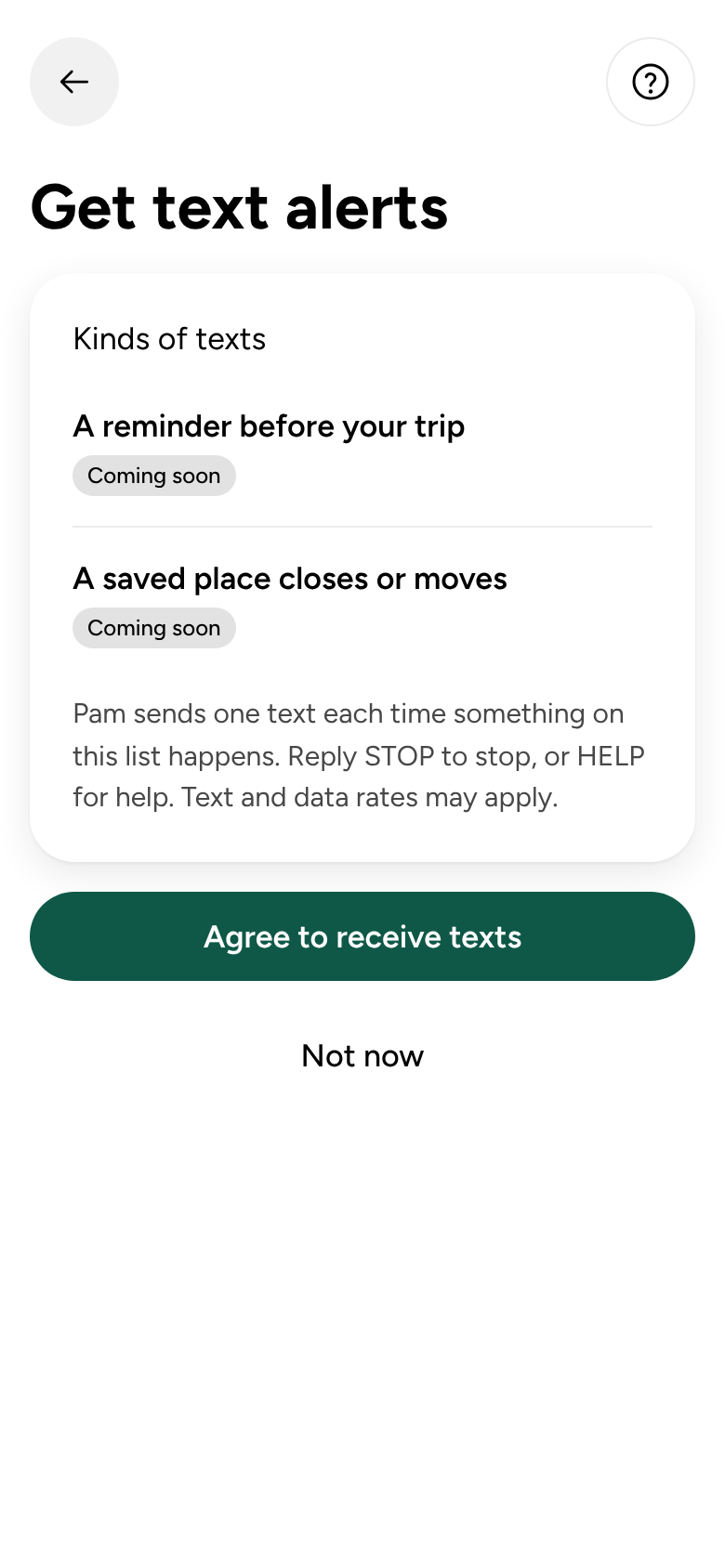
Pam does not send a reminder before each visit. It does not text you when someone messages you, and it does not text you when someone wants to connect. The Text alerts screen lists the kinds of texts Pam would send, and says “Coming soon” beside the ones it does not send yet.
Messages and notes about new messages show up inside Pam, on the bell and on the Messages tab. A case manager or program lead also sees the number on Home.
The rules
Pam texts you reminders only if you said yes. You choose when you join (“Agree to receive texts” or “Not now”), or later, from the “Get text alerts” card on Profile (“Agree to receive texts” or “Not now”).
No texts go out from 9 pm to 7 am, Philadelphia time. A text that is due in those hours waits until the morning. If a sign-in code is more than 12 hours late, Pam cancels it instead of sending it. Ask for a new one.
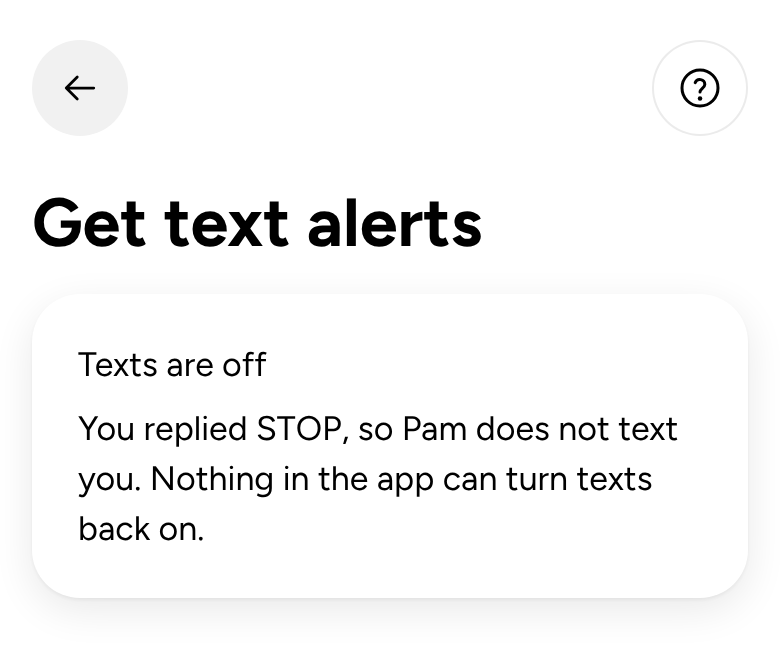
Reply STOP to any text and the texts stop. Nothing in the app can turn them back on. If you replied STOP by mistake, contact Pam.
A sign-in code is not a reminder. It comes when you ask for it.
A text did not come
Think about which text it was. Pam does not send visit reminders or message alerts yet.
Check that you said yes. Tap Profile. If you said yes, the list has a “Text alerts” row. If you chose “Not now”, you will see a “Get text alerts” card at the top instead: tap it to change your answer. If you replied STOP, that card opens a screen that says “Texts are off”, and you need to contact Pam.
Check the time. Nothing is sent from 9 pm to 7 am, Philadelphia time.
Check that the phone number on your account is the right one.
For a sign-in code, wait for the “Send it again” timer to finish, then ask for a new code. Use the newest one.
Still no text? Contact Pam.
Still stuck?
Write to us at hello@joinpam.org. Tell us what happened and what you see on the screen. A person at Pam reads every message.