
Messages: who can write, and why nothing is texted
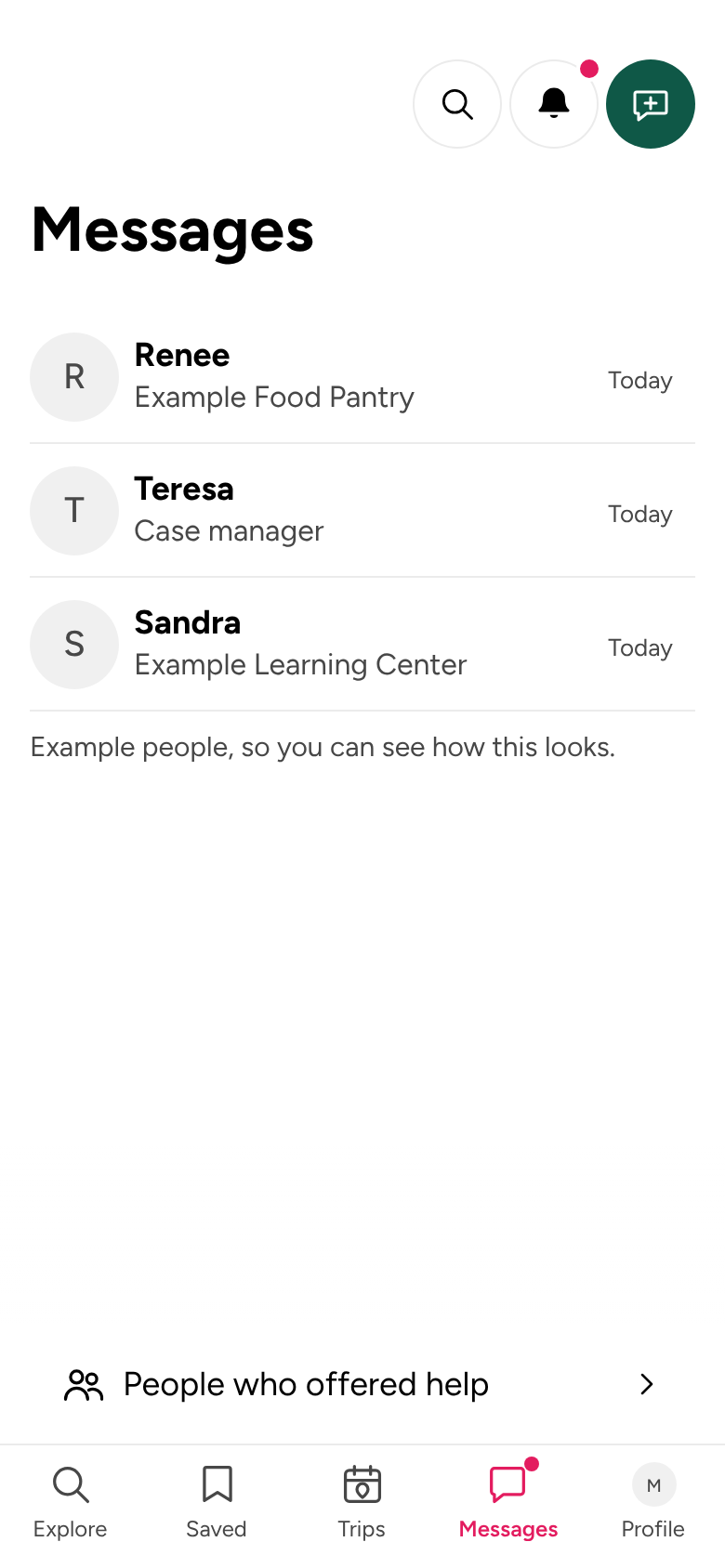
You can message your own case manager. You can also write to a program that is on Pam, even before you plan a visit, and they can answer you. A program can start a chat with you only if you are signed up with them or have a visit planned there. Otherwise only you can start one, and they can answer. Your own case manager can start a chat with you too. Nobody else can.
Who can write to whom
| You are | You can start a chat with |
|---|---|
| A member | Your own case manager, or any program that is on Pam. |
| A case manager | The members who are assigned to you, and a super admin. |
| A program lead | Members who are signed up with your program or have a visit planned there, and anyone who wrote to you (you can answer). And a super admin. |
| A super admin | Case managers and program leads. Never a member. |
A member
Your own case manager, or any program that is on Pam.
A case manager
The members who are assigned to you, and a super admin.
A program lead
Members who are signed up with your program or have a visit planned there, and anyone who wrote to you (you can answer). And a super admin.
A super admin
Case managers and program leads. Never a member.
Members cannot message other members. A super admin is the person who runs Pam.
Send a message
Tap Messages.
Tap a conversation. Or tap “New message”, the button at the top right, and pick who you want to message.
Type in the box that says “Write a message”.
Tap Send.
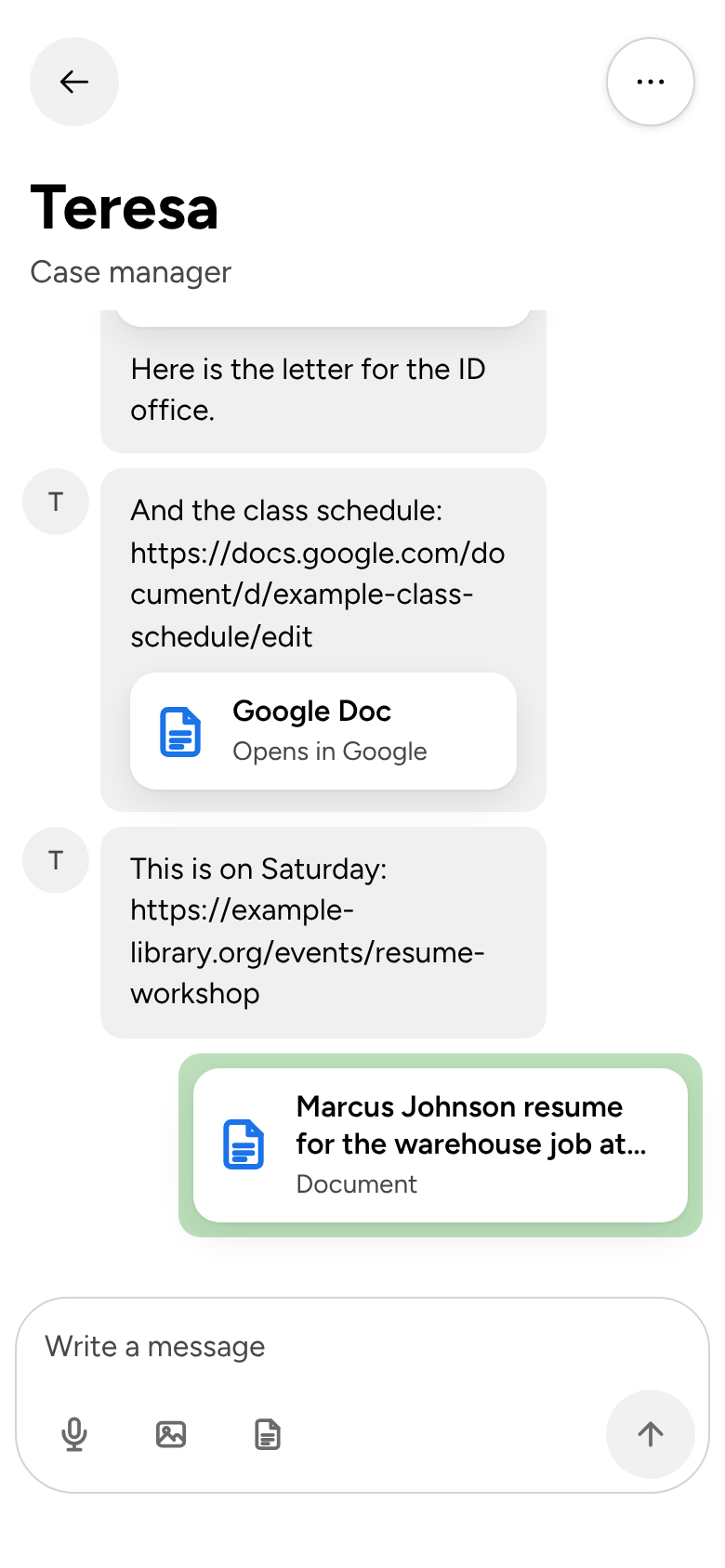
You can also send a photo or a document. Tap “Add a photo” or “Add a document”.
A new message does not come by text
When someone messages you, the bell at the top and a dot on the Messages tab show it. A case manager or program lead also sees the number on Home. Pam does not send a text for a message, so open Pam to read it.
If a message is not safe
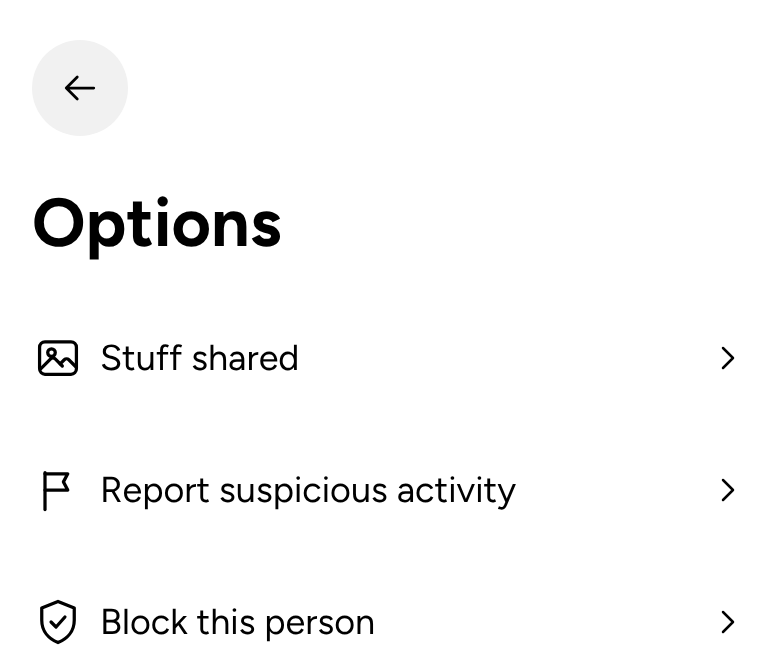
In the conversation, tap “More options”. A screen called Options opens.
Tap “Report suspicious activity”.
Pick what is wrong.
Tap “Send report”.
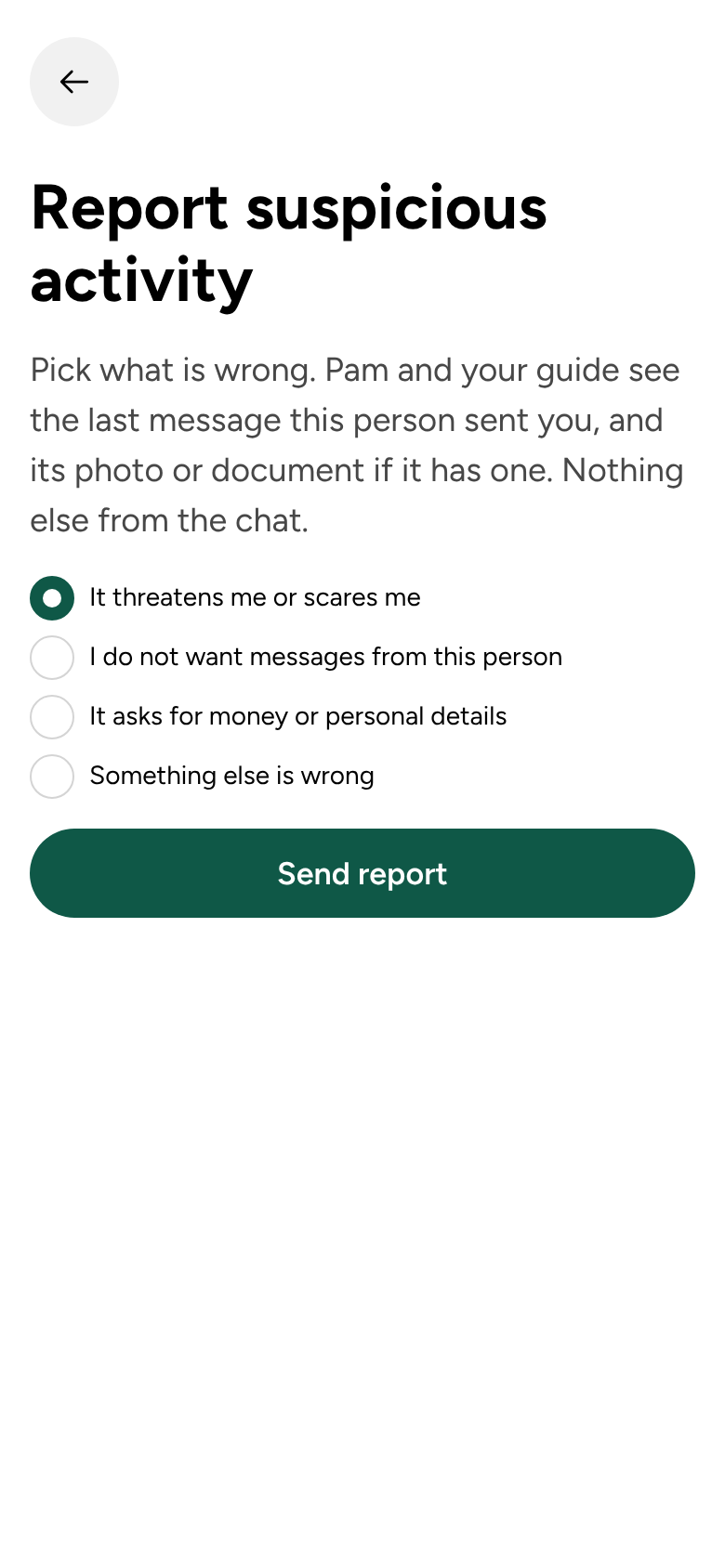
Pam and your guide see the last message that person sent you, and its photo or document if it has one. Nothing else from the chat. You can report only the other person’s messages.
A case manager or a super admin sees reported messages on Messages, under “Reported”, next to “Conversations”. It says: “A message shows here only because someone said it was not safe.”
If you do not want messages from someone
You can block a person from inside a conversation with them.
In the conversation, tap “More options”. A screen called Options opens.
Tap “Block this person”.
Read what it says. Tap “Block”, or tap “Not now” if you change your mind.
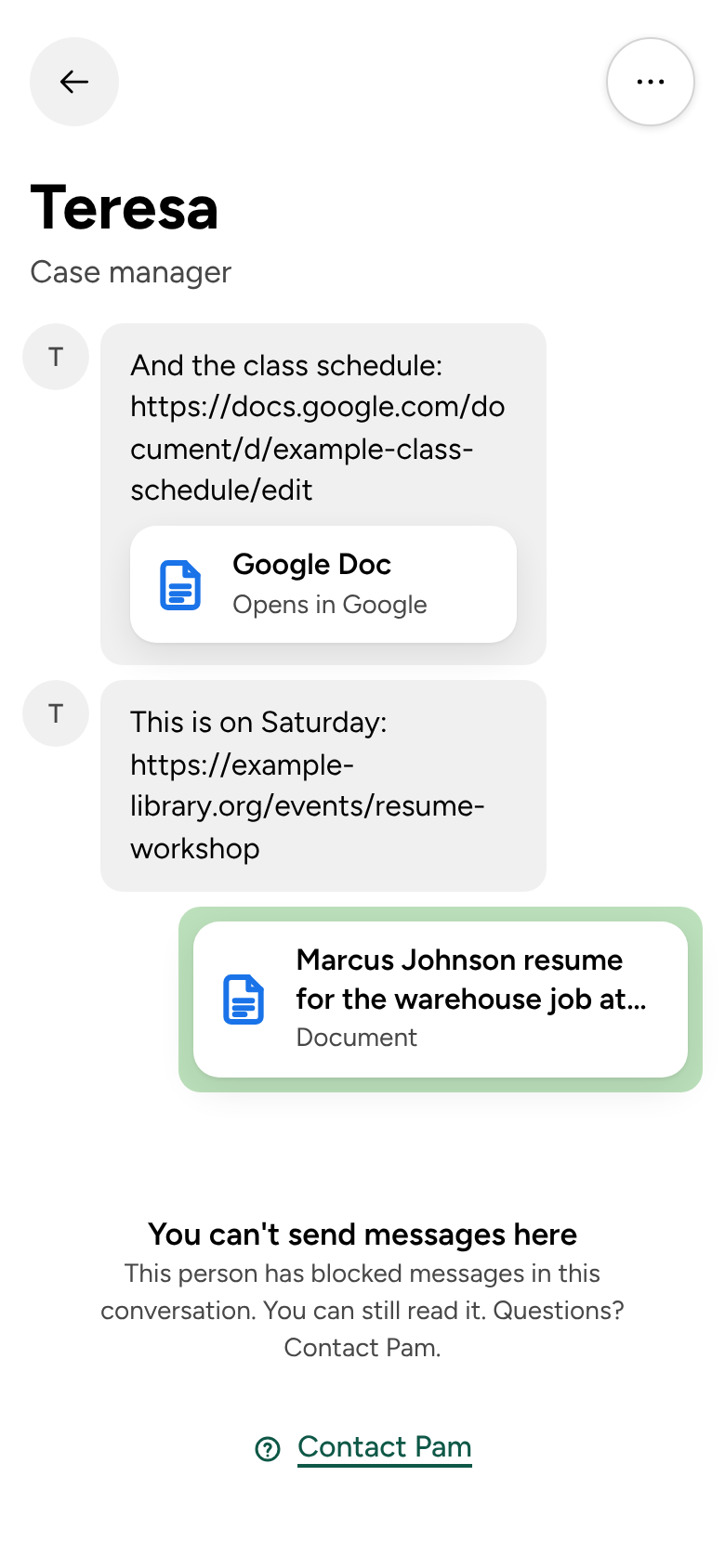
Pam asks first. It says: “Neither of you can send messages here. You can unblock them later.”
The other person is told. Where the box for writing a message was, they see “You can’t send messages here”. Under it: “This person has blocked messages in this conversation. You can still read it. Questions? Contact Pam.”
You see “You blocked this person”. It says neither of you can send messages there, and that to change that you open the ⋯ menu and choose Unblock.
Only the person who blocked can undo it. Open More options in the same conversation, tap “Unblock this person”, then tap “Unblock”. You will both be able to send messages again.
Anyone in a conversation can block: a member, a case manager, a program lead or a super admin. Blocking does not report anyone. To report a message, use “Report suspicious activity” above.
Still stuck?
Write to us at hello@joinpam.org. Tell us what happened and what you see on the screen. A person at Pam reads every message.